
Features
Reviews
Specs
High Performance KVM Over Wi-Fi
Here at GL.iNet, we know convenient and secure access is important. Introducing our Comet Pro
Remote
KVM over Wi-Fi, giving you remote access to your computer, workstation,
or server anywhere. Our ultra-low latency KVM bridges performance, and simplicity at the touch
of
your fingertips
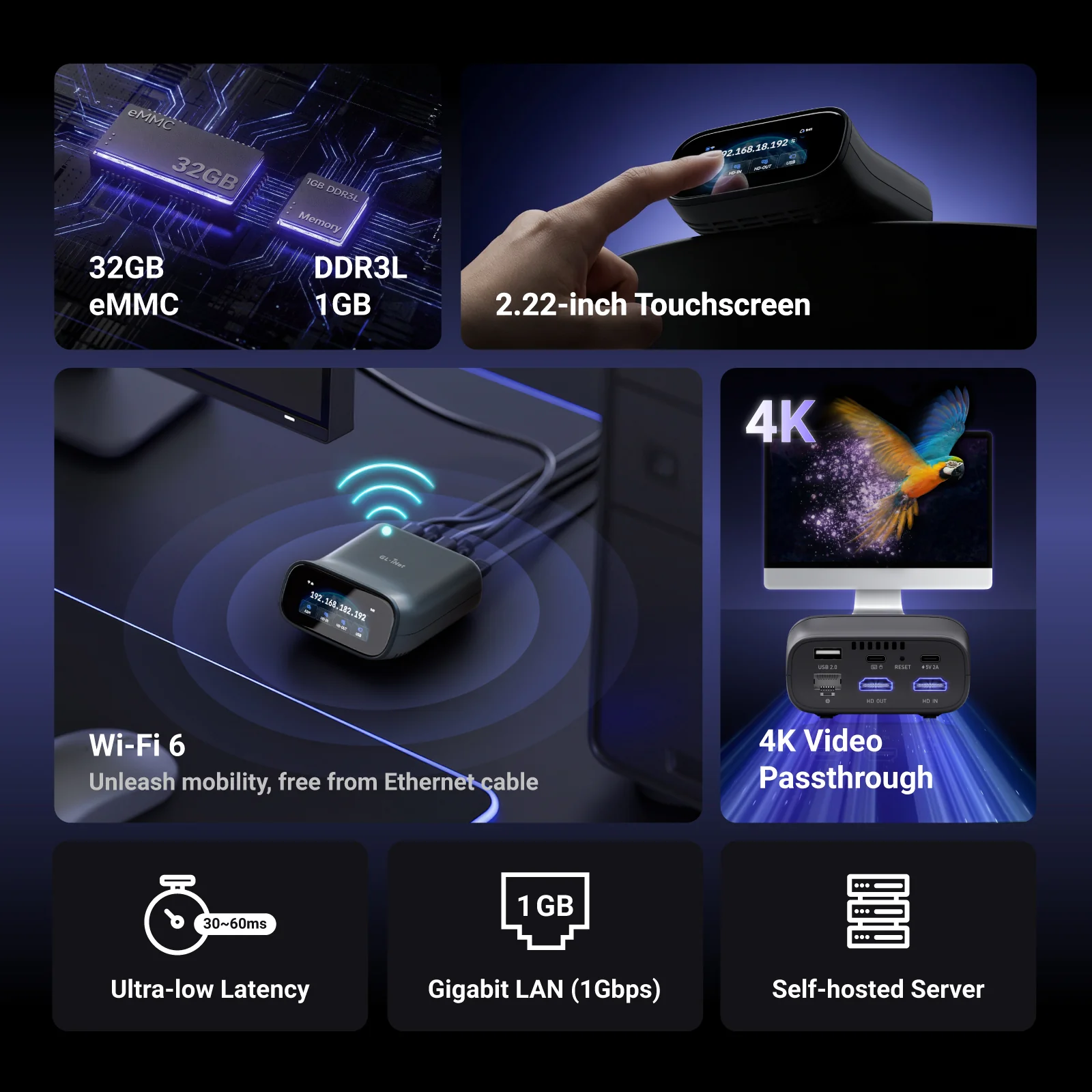
Quad Core CPU
32GB eMMC
1GB DDR3L Memory
Touchscreen Display
4K@30FPS
Wi-Fi 6
4K Video Passthrough
Why Do I Need a KVM
Comet Pro provides simplicity to your life. Whether you have a gaming PC, work laptop,
media server, or home office setup, the Comet Pro lets you control your devices
from one central location, and best of all, you can be anywhere with an internet connection.
The Comet Pro
Here at GL.iNet, we know convenient and secure access is important. Meet the Comet Pro Remote
KVM
over Wi-Fi 6, giving you remote access to your computer, workstation, or server anywhere.
The Comet Pro delivers ultra-low latency, robust security, and plug-and-play simplicity. Bridge
performance and freedom so you can work, manage, and troubleshoot without compromise from
anywhere.
4K Video Passthrough with Low Latency
Allowing for native 4k@30FPS HD out passthrough, this gives users crystal clear video while also
able to maintain a low latency feed of 30-60 ms with H.264 hardware encoding.
Maintaining a fluid remote interaction without any compromises.
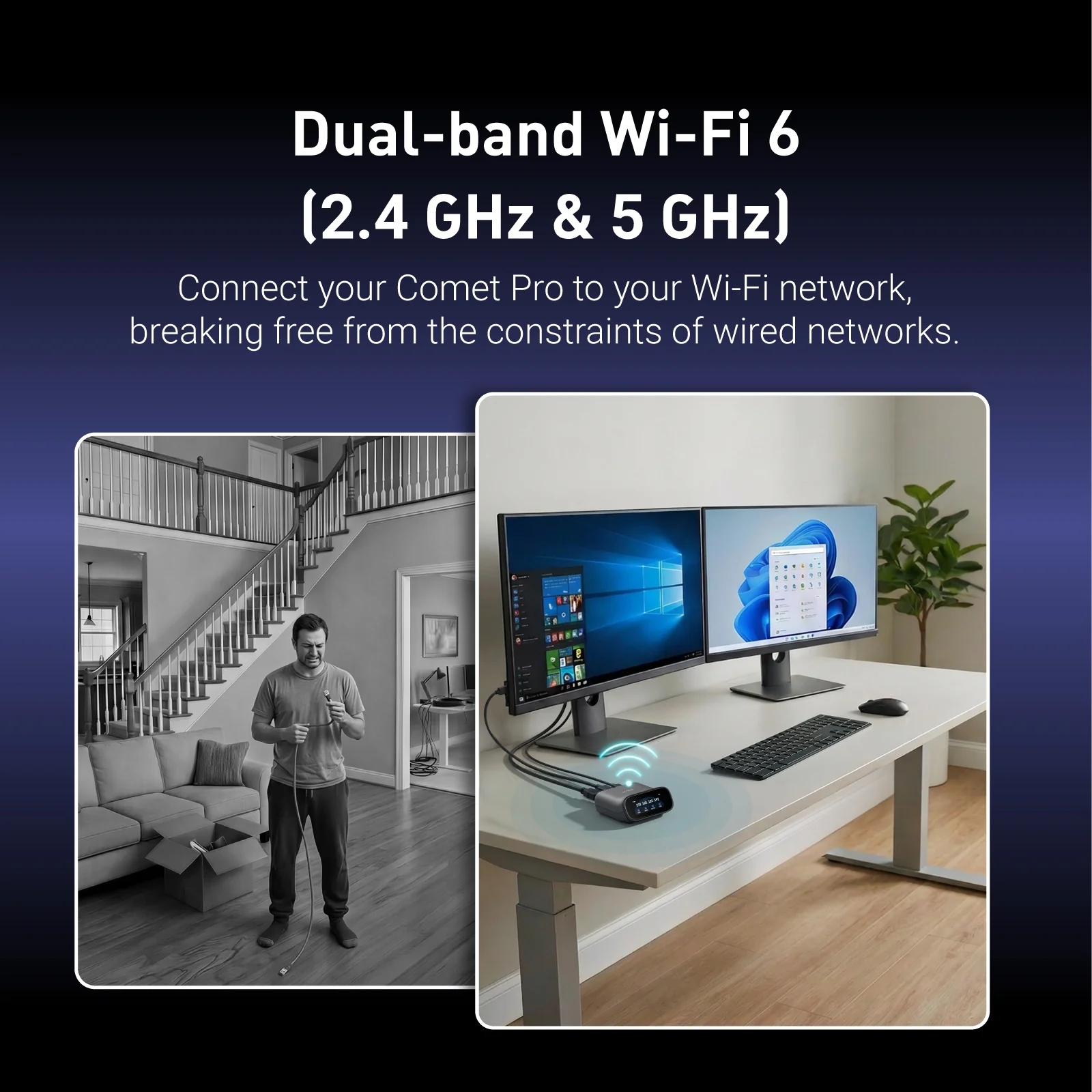
Wi-Fi 6
Comet Pro is the first desktop KVM device to support both 2.4GHz and 5GHz Wi-Fi bands. Connect
your
GL.iNet Comet Pro (GL-RM10) to your Wi-Fi network without needing a LAN connection,
redefining flexibility in remote access. Users can now manage systems without the need to
connect
physical network cables, unlike traditional KVM solutions. Additionally, the Comet Pro
allows for network failover with both Wi-Fi and ethernet capabilities to improve your uptime
stability.
Clear Two-way Audio Communication
When working remotely, the ability to listen to and communicate is very important. Whether
you’re
providing remote IT support or joining a conference call, the built-in audio
channel over HD Out or USB allows for live voice communication between the local and remote
ends.
Total System Control
Next
Touchscreen Interface
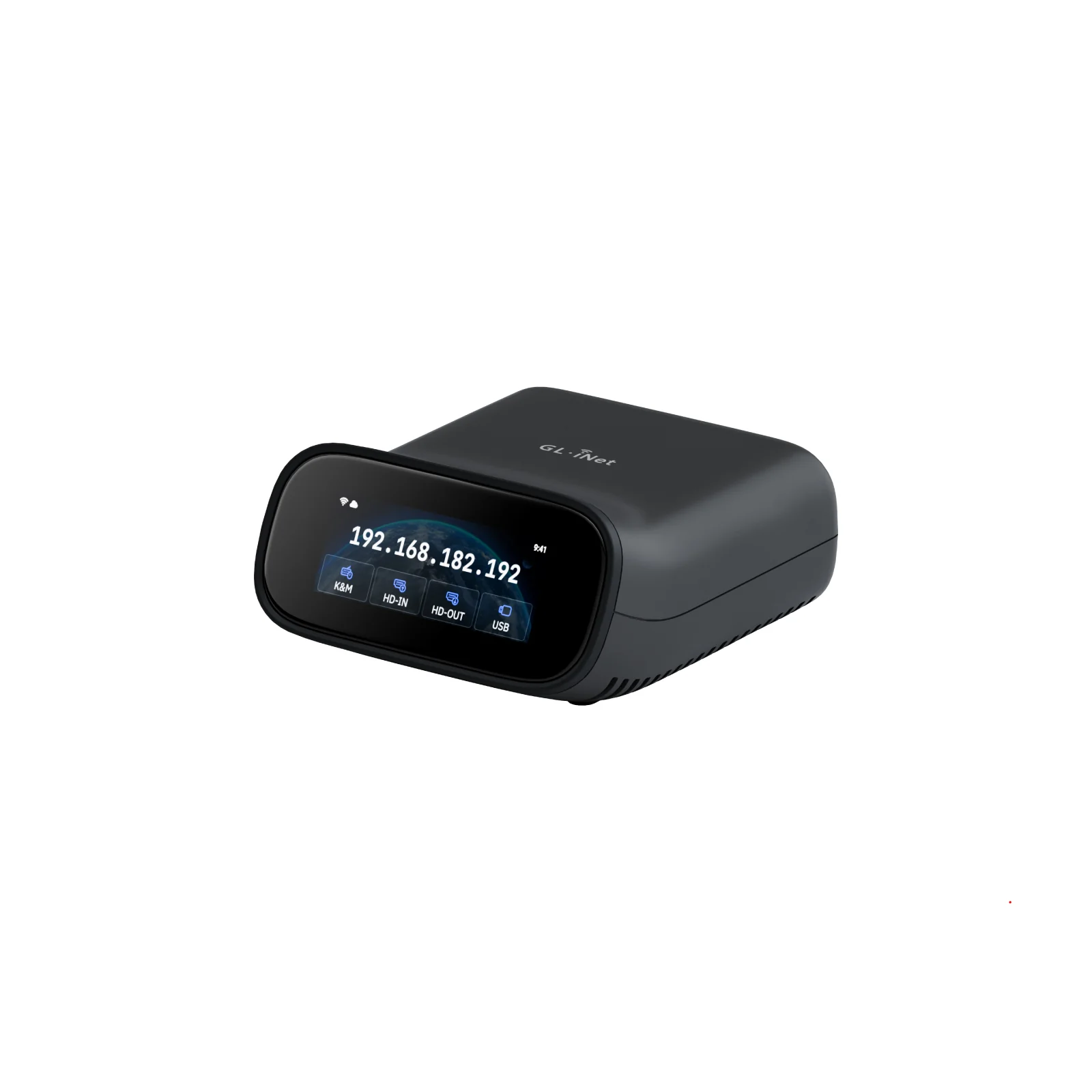
The built-in touchscreen with an intuitive graphical user interface, lets
you easily view and manage features that are important like connecting to a
Wi-Fi network, and enabling or disabling the Cloud Service.
Mobile and Desktop App Support
Using our GLKVM App, accessible through Windows, macOS, App Store, and
Google Play Store, you will be able to easily connect the Comet Pro along
with other GL.iNet Comet KVM devices. Access all your GL.iNet Comet devices
in one place without needing to manually connect to each one separately.
Remote Cloud Control
Another way to gain remote access to your Comet Pro is through the web based
cloud control system at glkvm.com, available to Windows, Mac, and Linux
users. This maximizes convenience, without needing to install any
applications to make sure you always have access to your Comet Pro.
Tailscale Support
GL.iNet Comet Pro integrates Tailscale natively, allowing you to bind it to
the Tailscale virtual network to gain remote access. This is particularly
useful when your controlling device runs neither Windows nor macOS.
Two Factor Authentication
With the importance of having remote BIOS access to your computer, safeguard
your Comet Pro with 2-Factor Authentication. Pair your favorite 2FA
application to add an extra level of security to give you control and peace
of mind.
Hardware Screen Lock
Prevent unauthorized touchscreen access to the Comet Pro through the 4-digit
hardware screen lock feature.
Self-Hosted Server and Deployment
Comet Pro supports self-hosted deployment on mainstream operating systems such as Linux and
Ubuntu, giving you full control over your remote access environment.
Get started with 2 cores and 2GB RAM cloud server, then deploy in one click-no complex setup
required. No personal information is collected by GL.iNet, ensuring a private experience.
Restart Devices Remotely, and Effortlessly
Comet Pro enables remote power management by connecting to extension devices such as ATX
Boards and Fingerbot, allowing users to power on/off,
or restart any device-even those without internet connectivity-from anywhere. By eliminating
the need for physical access, Comet reduces downtime,
ensures seamless operation, and enhances efficiency, reliability, and cost-effectiveness.
Wake your PC remotely using built-in WOL in GLKVM.
LEARN HOW
For reliable wake-up, use the included ATX board via USB.
Shop Now
A mechanical arm that presses your PC’s power button reliably.
Shop Now
Accessories
- PoE Splitter
- Travel Case
PoE Splitter
The PoE Splitter, featuring a USB Type-C output, is a compact device that allows
you to
power the Comet Pro using a PoE (Power over Ethernet) network. It separates the
power
and data from a single
Ethernet cable, making it ideal for setups where traditional power outlets are
limited
or hard to access. It accepts a DC input of 36-57V and provides a 5V/2.5A
output,
compliant with IEEE 802.3af,
while supporting data speeds up to 1Gbps.
Travel Case
Taking your Comet Pro on the go? Now you can travel with this travel case!
Whether
you’re planning a field visit, a lab demo, or just need a compact way to store
your
device and accessories – this sleek,
durable travel case has you covered. The case weighs just 252g and features a
compact
design with dimensions of 190 × 175 × 85 mm.Designed to fit the Comet Pro and
essential
accessories snugly, it’s lightweight,
protective, and perfect for travel or everyday carry. Stay organized. Stay
mobile. Take
Comet Pro wherever innovation calls.
Download the 3D-printable rack mount and seamlessly integrate your device into your
existing
rack setup.
*Featured here is the magnetic rack mount. Additional 10-inch and 19-inch 3D
printable files are available for download.
Professional Tech Press Insights
This minuscule all-in-one ‘PC’ will allow you to control your
actual home computer remotely using a robotic finger and a free VPN.
The new model also relies on a more powerful quad-core Cortex-A53 SoC and is
equipped with
32GB eMMC flash, overcoming the 8GB flash limitation…
Product Reviews from YouTubers
Comet Pro Product Reviews
-
Gl.iNet Comet Pro KVM – SHOULD YOU BUY?
-
The BEST Budget KVM Over IP? GL.iNet Comet Series
Reviewed -
I’ve been waiting for these KVMs for a long time
-
GL.iNet Comet Pro KVM Review – The JetKVM Killer for
$99? -
I NEEDED to Fix her Internet!
-
This $99 GL.iNet Comet Pro device Replaces
TeamViewer,
Streams Netflix & Plays PS5 Remotely! GL-RM10 -
Control your PC remotely with low latency! Meet
GL.iNet Comet
Pro (KVM over IP) -
GOODBYE PiKVM? I TRIED the BEST Low-Cost KVM
-
GL.iNet Comet Pro, The BEST KVM With Wi-Fi.
More
What Beta Tester are Saying
The product feels premium to touch and the UI is very good, both on
device and
the web UI. The ease of use is astonishing.
I could set the whole thing up in 5 minutes without having to read or
google
something AND without having ever used a KVM before.
@uranioh
I have loved working with this device, its made remoting onto any of my
servers
or end user computers miles easier and when using the web app,
everything is
really smooth.
I experienced no latency issues or connectivity issues whilst carrying
out any
of my testing.
@Zwytch
As an IT field engineer, the Comet Pro has become my go-to tool for
accessing
servers and systems that lack out-of-band management.
It’s compact, reliable, and surprisingly versatile.
@OzTech74L
The GL.iNet Comet Pro really delivers on what modern remote access users
want.
The 2.2-inch touchscreen is surprisingly handy for quick status checks
and setup
without opening a browser.
Features like Virtual Media/ISO mounting, BIOS-level control, and remote
file
copying make it far more flexible than most remote KVM boxes.
@Mniko
Compare KVM
Comet (GL-RM1)
KVM over Internet
Comet PoE (GL-RM1PE)
KVM over PoE
Comet Pro (GL-RM10)
KVM over Wi-Fi 6
Display
Max. Resolution
Max. Resolution
4K@30FPS
Max. Resolution
4K@30FPS
Max. Resolution
4K@30FPS
Latency
Latency
30-60ms*
Latency
30-60ms*
Latency
30-60ms*
Two-way Audio
Two-way Audio
Two-way Audio
Two-way Audio
HD Passthrough
HD Passthrough
HD Passthrough
HD Passthrough
Display Screen
Display Screen
Display Screen
Display Screen
2.22″ touchscreen
System & Connectivity
Processor
Processor
Quad-core Cortex-A7
Processor
Quad-core Cortex-A53
Processor
Quad-core Cortex-A53
Memory / Storage
Memory / Storage
DDR3L 1GB / 8GB eMMC
Memory / Storage
DDR3L 1GB / 32GB eMMC
Memory / Storage
DDR3L 1GB / 32GB eMMC
Wi-Fi
Wi-Fi
Wi-Fi
Wi-Fi
2.4GHz: 286Mbps
5GHz: 286Mbps
LAN Port
LAN Port
1Gbps
LAN Port
1Gbps
LAN Port
1Gbps
Power Input
Power Input
Type-C, 5V/2A
Power Input
Ethernet (PoE) / Type-C,
5V/2A, PD-compatible
Power Input
Type-C, 5V/2A,
PD-compatible
Dimensions
Dimensions
80 x 60 x 17.5mm / 85g
Dimensions
102 x 70 x 22mm / 140g
Dimensions
93 x 84 x 47mm / 170g
* Tests conducted on a local network. Real-world speeds may differ depending on your
network
configuration.
Wi-Fi 6
4K@30FPS Video Resolution
H.264 hardware encoding with 30-60ms latency
BIOS Access
USB 2.0 External Extension
Two-way Audio
APP/Browser Access
GigabitEthernet
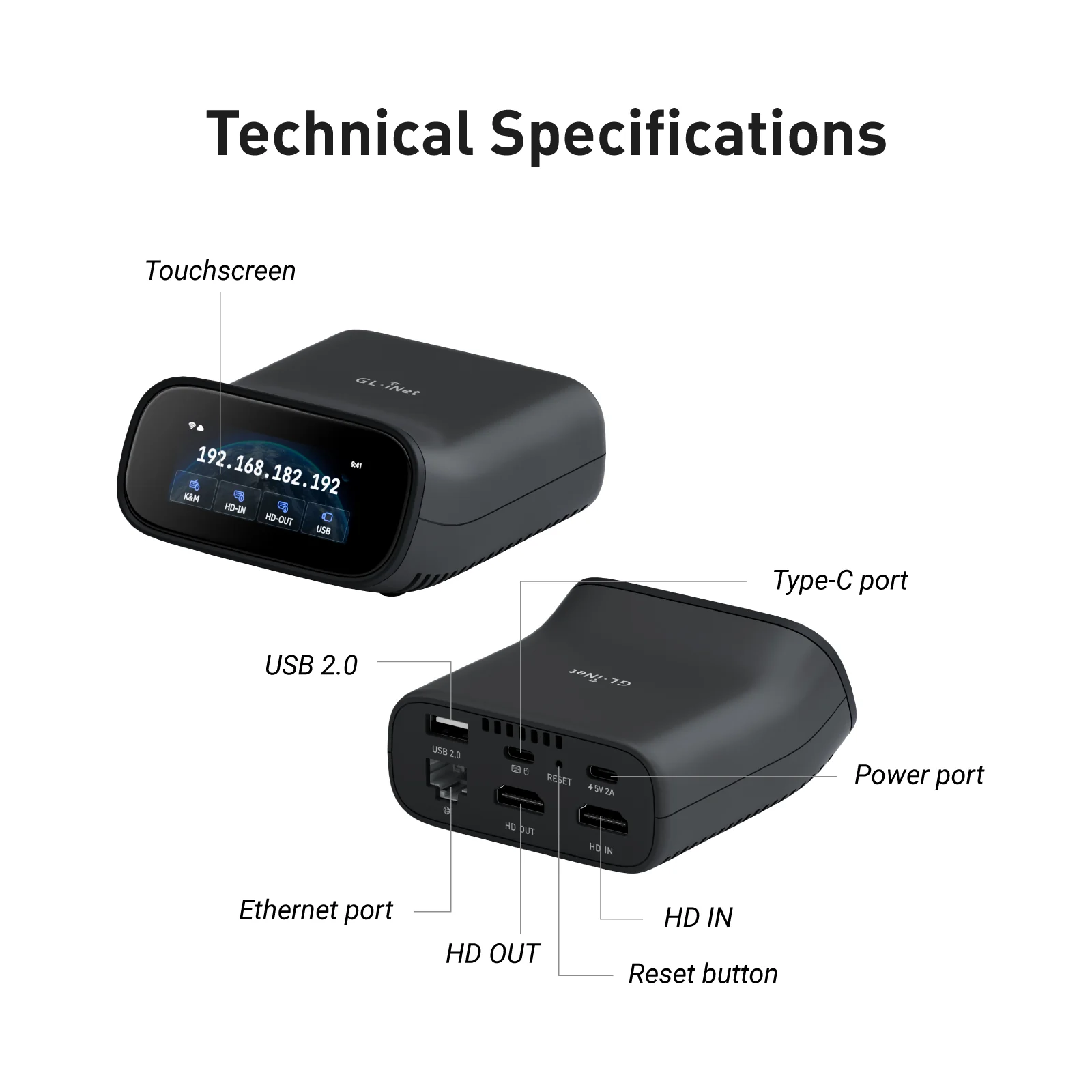
Technical Specifications
| Weight | N/A |
|---|---|
| Plug | US, EU+UK, AU, JP |
Reviews
There are no reviews yet.